


Here’s what’s new in Release 129.2! If you would like to access this functionality, please speak to your account manager or our services team to discuss configuration and rollout.
We value your feedback! If you have any questions or suggestions, reach out to us via the Help Centre.
Cross-Zone Record Links
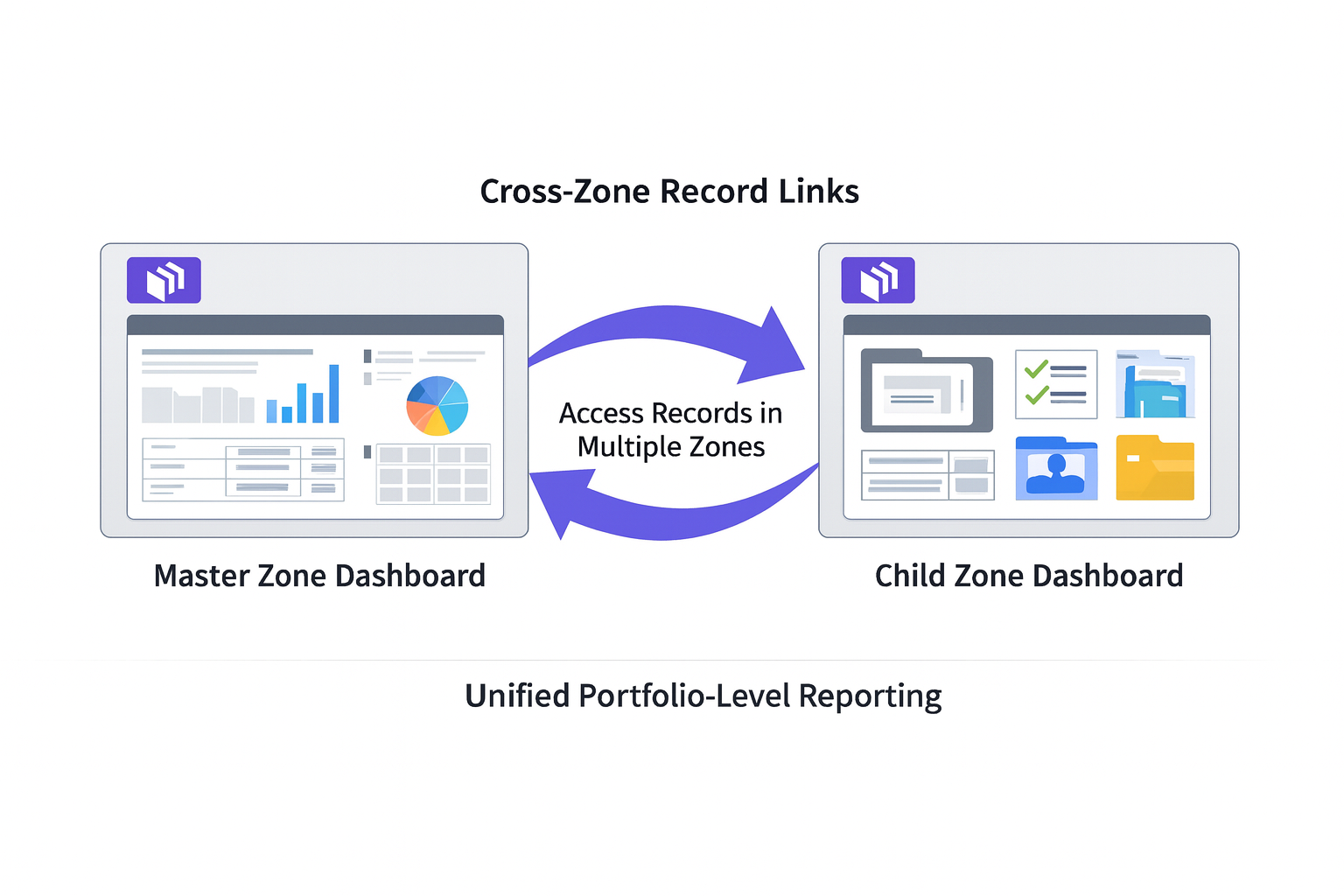
This release introduces cross-zone record URL support, allowing users to open records, documents and files directly from enterprise-level Power BI dashboards, even when those dashboards span multiple zones.
Designed to support portfolio-level QA, Digital Handover, and enterprise reporting workflows, with Release 129.2, users no longer need to manually switch zones or consolidate data. Zutec’s existing authentication, permission controls, and audit requirements remain fully enforced, making record access easy.
What’s new?
Record and file links generated in Power BI dashboards can be accessed across zones when users have the appropriate permissions.
- Zone-Aware Authentication & Permissions
- Every request validates the user’s permissions before allowing access, ensuring records remain secure and compliant.
- Access records in different zones
- Using a single portfolio dashboard, users can open, view and edit records across zones within a deployment.
- Consistent URL Structure
- A standardised URL format allows dashboard creators to generate links programmatically across zones.
- Clear Error Handling
- Users receive clear feedback when links are invalid or when access to a zone or record is not permitted.
- Audit Logging (Optional)
- Cross-zone access attempts can be logged with user, zone, and record details to support compliance and reporting.
How to use:
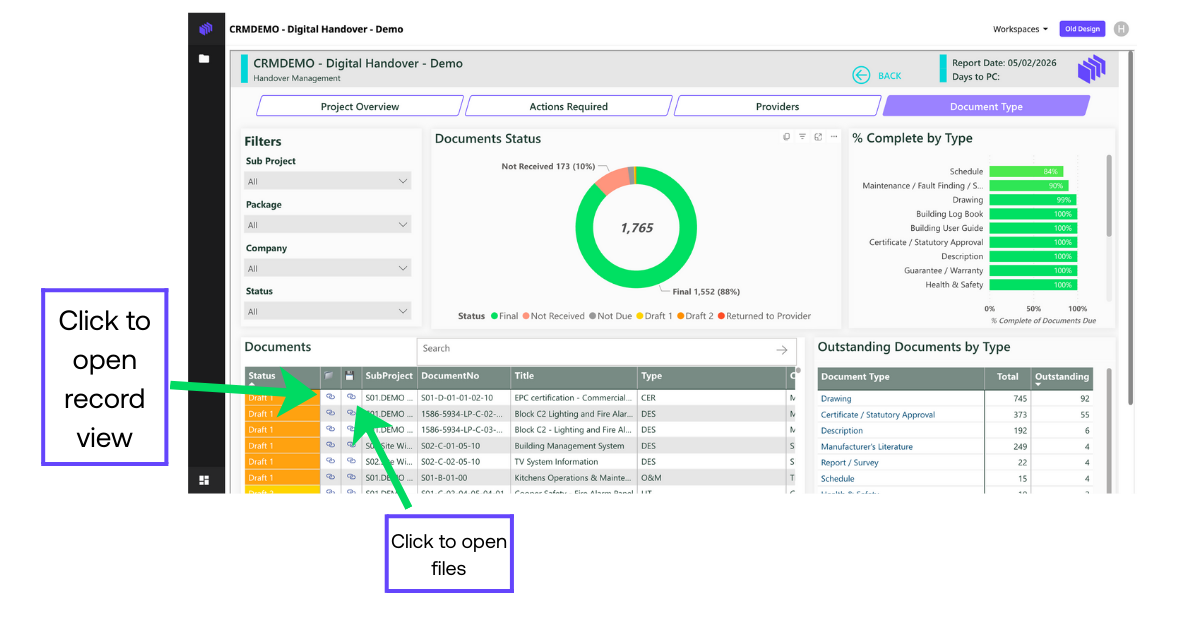
- Users open a Power BI dashboard that contains records from multiple zones.
- Clicking a record or file link automatically routes the request through Zutec’s authentication layer.
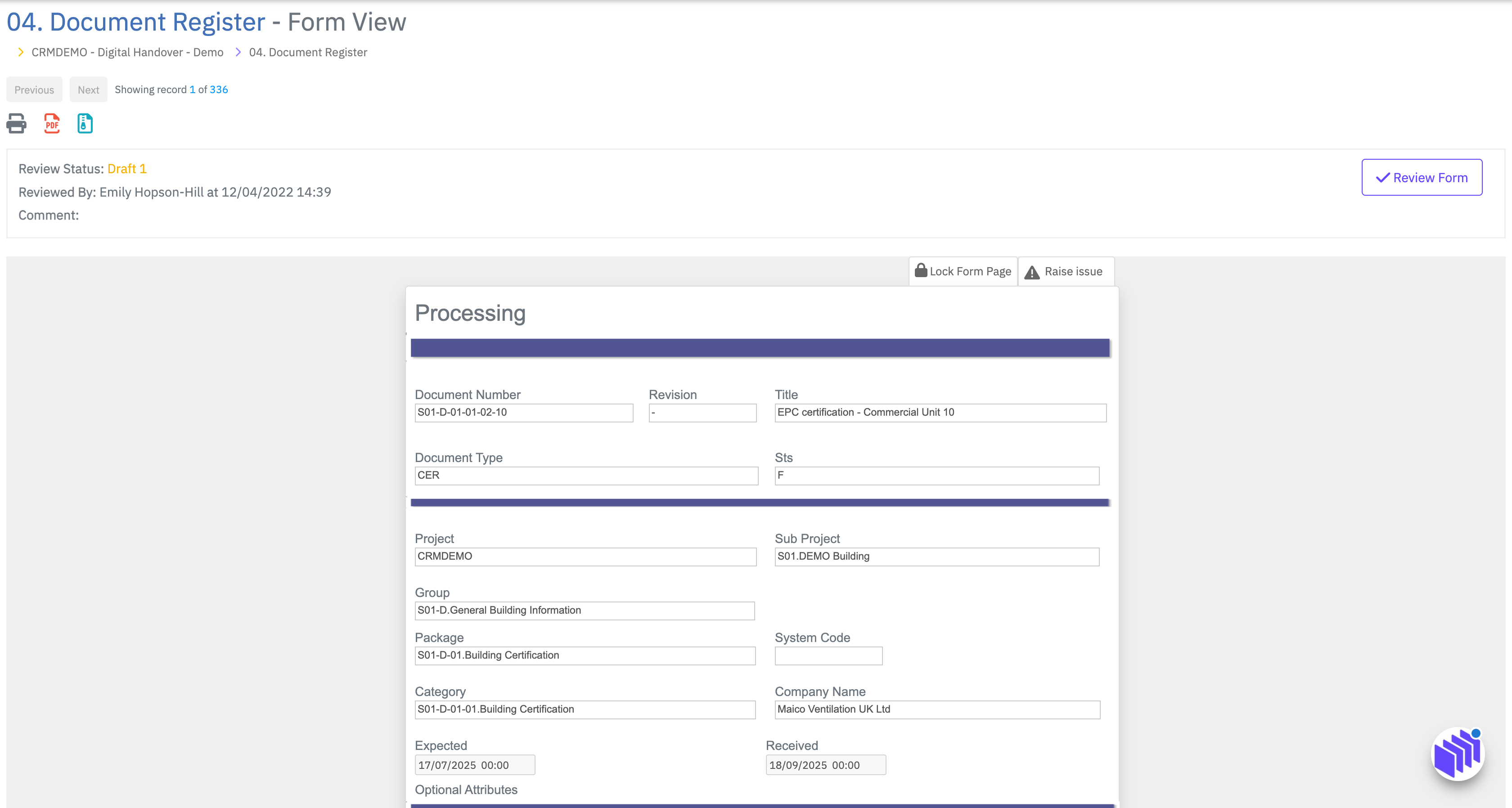
- If the user has permission, the record opens directly in a new tab.
- If the user does not have permission, a clear access-denied message is displayed.
Please speak to Account Management or the Services team to discuss configuration and rollout.
What are the benefits for users?
- Unified Navigation
- Users can work from a single, consolidated dashboard without manually switching zones.
- Improved Operational Efficiency
- QA and delivery teams reduce time spent navigating between zones and avoid errors caused by context switching.
- Reduced Risk
- Eliminates the need for zone consolidation, preserving audit trails, history, and data integrity.
- Enterprise Readiness
- Strengthens support for portfolio-level dashboards across QA, Digital Handover, and multi-project reporting.