


Here’s what’s new in Release 130! With a focus on the Zutec Field, the latest version of our app has been pushed to iOS/Android App Stores, therefore users will automatically get access when updating to the newest version.
We value your feedback! If you have any questions or suggestions, reach out to us via the Help Centre.
Zutec Field 'Sync my Changes’ - Mobile App
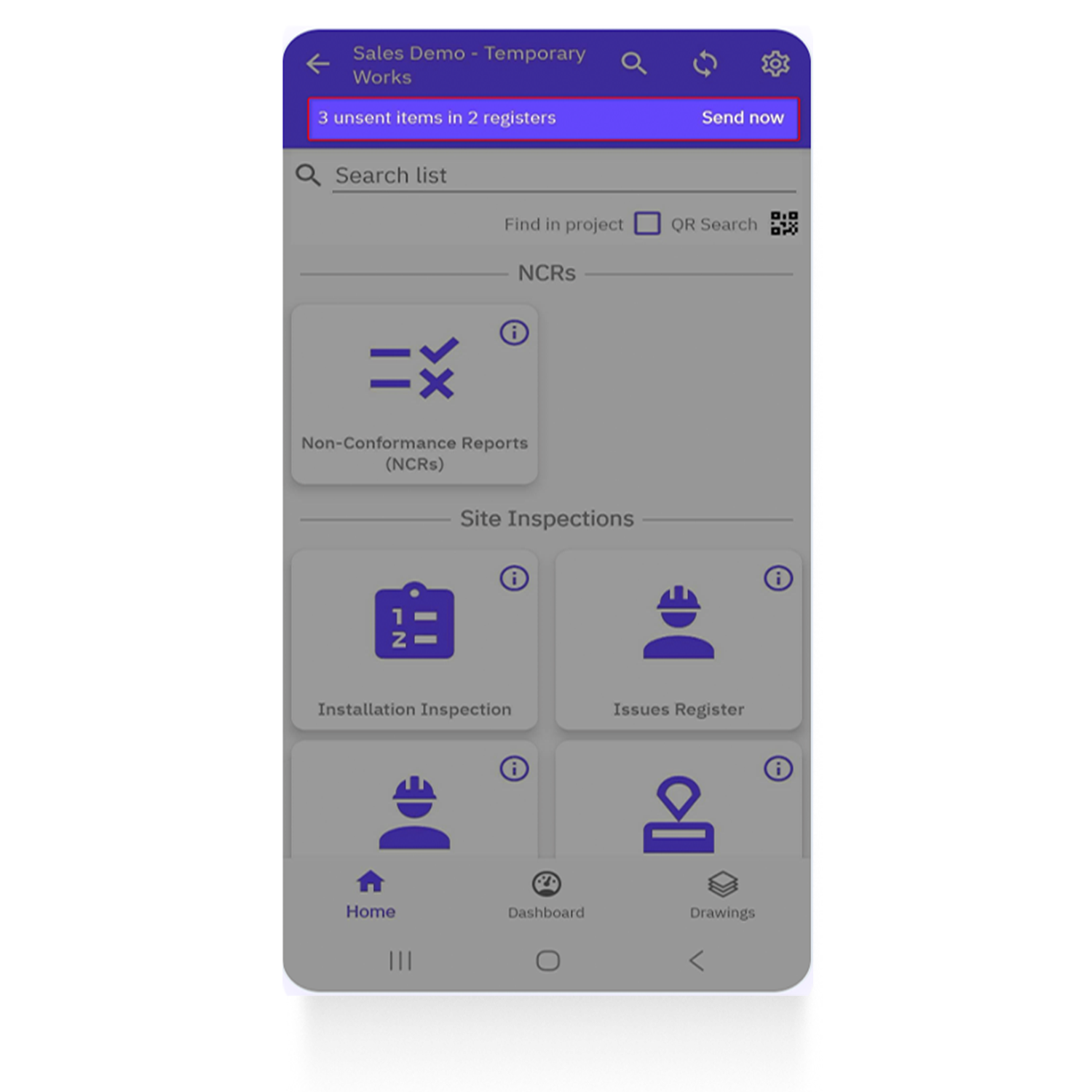
Zutec field app users can now send all of their work to the Cloud in one go. Any new records or changes across all registers — photos, status updates, data entries — can be uploaded with a single tap directly from the Project Home screen.
What’s new?
- A prominent Send Now button on the Project Home screen
- Automatic prompt with a counter showing the number of items pending upload
- Send-only sync behaviour — uploads local changes only
- Background processing with visible progress and completion states
- Clear success and failure messaging
- Loading/progress indicator while a send is in progress
How to use:
- The app automatically detects any unsent changes, and the Send Now button will appear on the Project Home screen.
- Tap Send Now, and all changes will be sent to Zutec Cloud — no further action required.
Benefits:
- Saves time on-site
- Reduces human error
- Improved user journey
Zutec Field 'Reduced Project Times' - Backend Improvements
Back-end improvements have been made to reduce the initial time it takes to build a project in the Field app. Users can enjoy a much quicker setup when first logging into Zutec Field on a device, especially customers with very large projects.
Benefits:
- Up to a 70% reduction in initial build times for large projects, enabling users to access and begin working within Zutec Field much faster
- Saves valuable time onsite by reducing waiting periods during project setup and syncing processes
- Delivers a smoother, more efficient user journey with faster performance and reduced manual effort across the app
Zutec Field Camera Setting Improvements
Camera settings have been improved on the app. Zoom level and Flash configurations are now stored, so the app remembers the user's previous configuration the next time it is used.
Key features & benefits
- Zoom level is stored and restored between app sessions
- Flash configuration is stored and restored between app sessions
- Reduces time spent completing onsite tasks
- Creates a smoother and more intuitive user experience


