


Here’s what’s new in Release 131! Introducing a range of enhancements across Quality Management Field app capabilities and Cloud platform, improving usability, efficiency and administration.
We value your feedback! If you have any questions or suggestions, reach out to us via the Help Centre.
Field App: Self-Service Password Reset
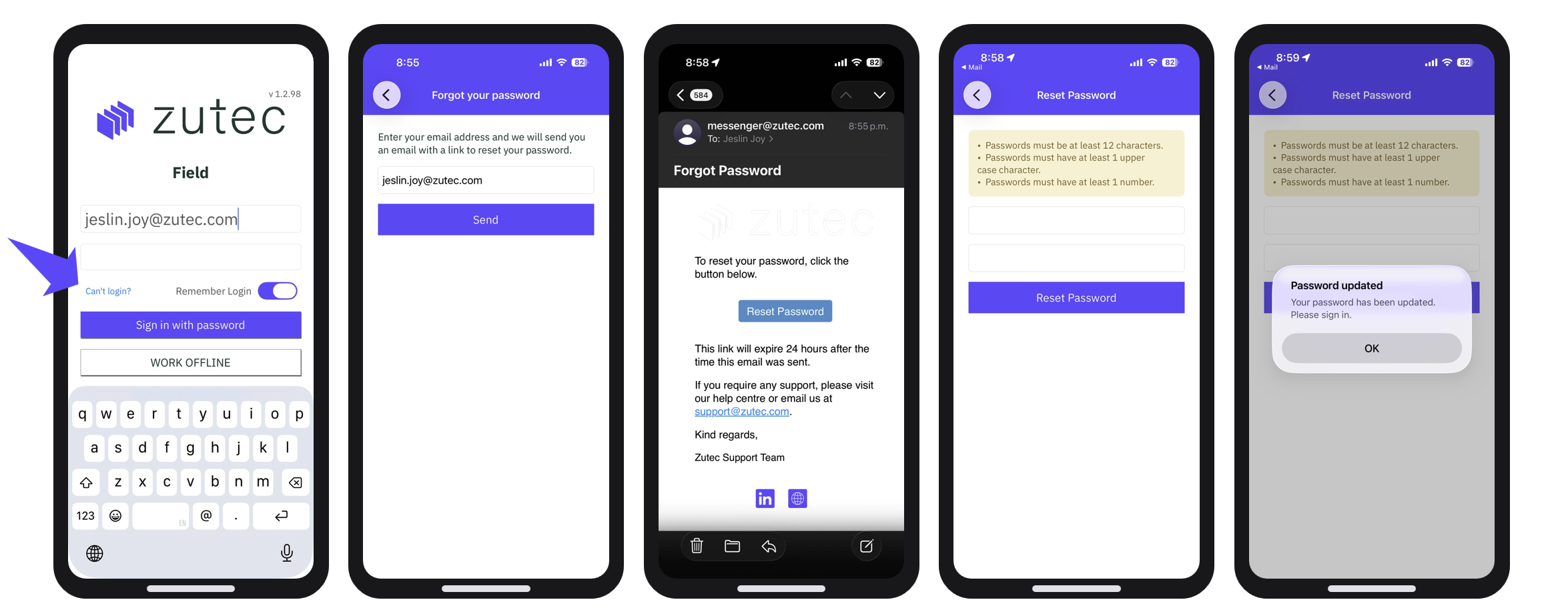
Users can now reset their own passwords directly within the Field App, reducing the need for administrator intervention and helping users regain access more quickly.
How to use:
- If users are locked out, simply tap "Can't log in?" on the sign-in screen.
- This prompts a work email input to send a reset link, which is valid for 24 hours.
- Users then simply choose a password that meets the strength rules.
- Confirmation appears, and the user can sign back in as normal.
Benefits:
- Just five steps from being locked out to being signed back in.
- No support ticket required.
Field App: Syncing a Workspace
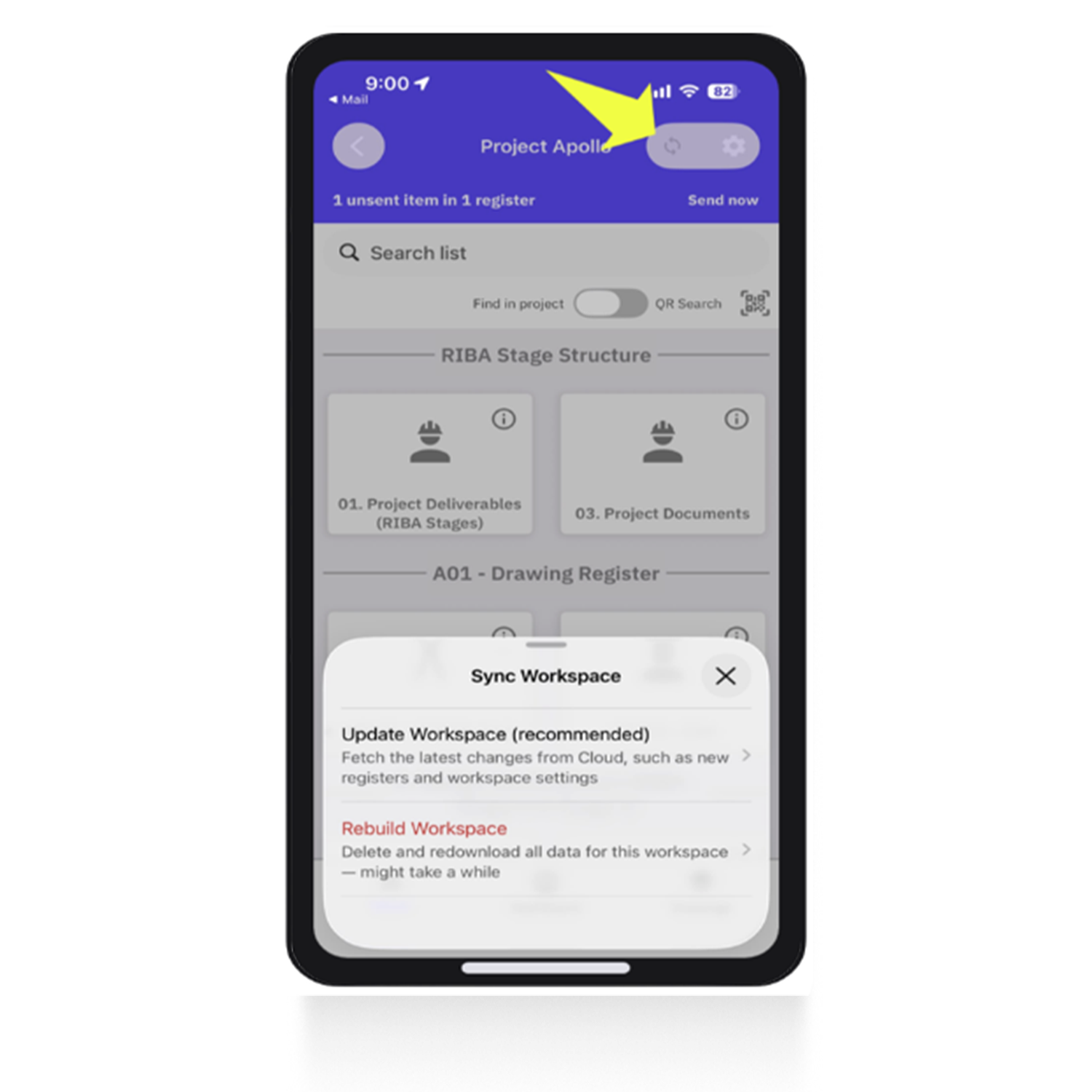
A new Sync All option makes it easier to retrieve the latest project updates in a single action, ensuring users are always working with the most up-to-date information.
How to use:
Two sync options
- Update Workspace fetches every change made to the forms in the workspace, including path changes and form structural changes.
- Rebuild Workspace signifies a clean slate. This function deletes and re-downloads all data for the workspace when users want to start tasks fresh.
Benefits:
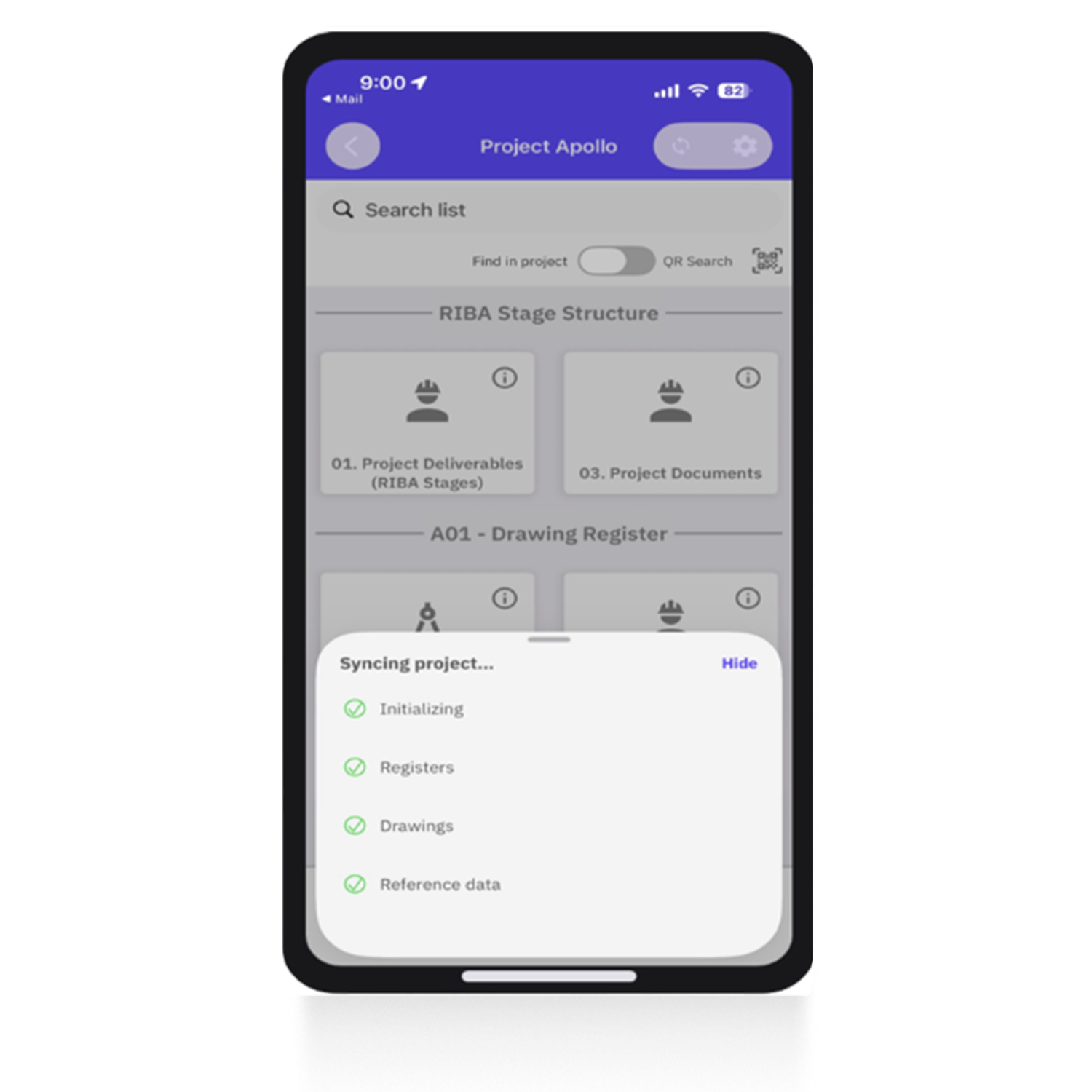
- Once confirmed, the app syncs and pulls down every affected register change, tree path, drawing and referenced data.
- This means the workspace is up to date with no manual downloads.
- Registers, drawings and reference data all arrive in a single pass.
- No more deleting and redownloading the app.
Field App: Records grouped by Sync Status for clearer status
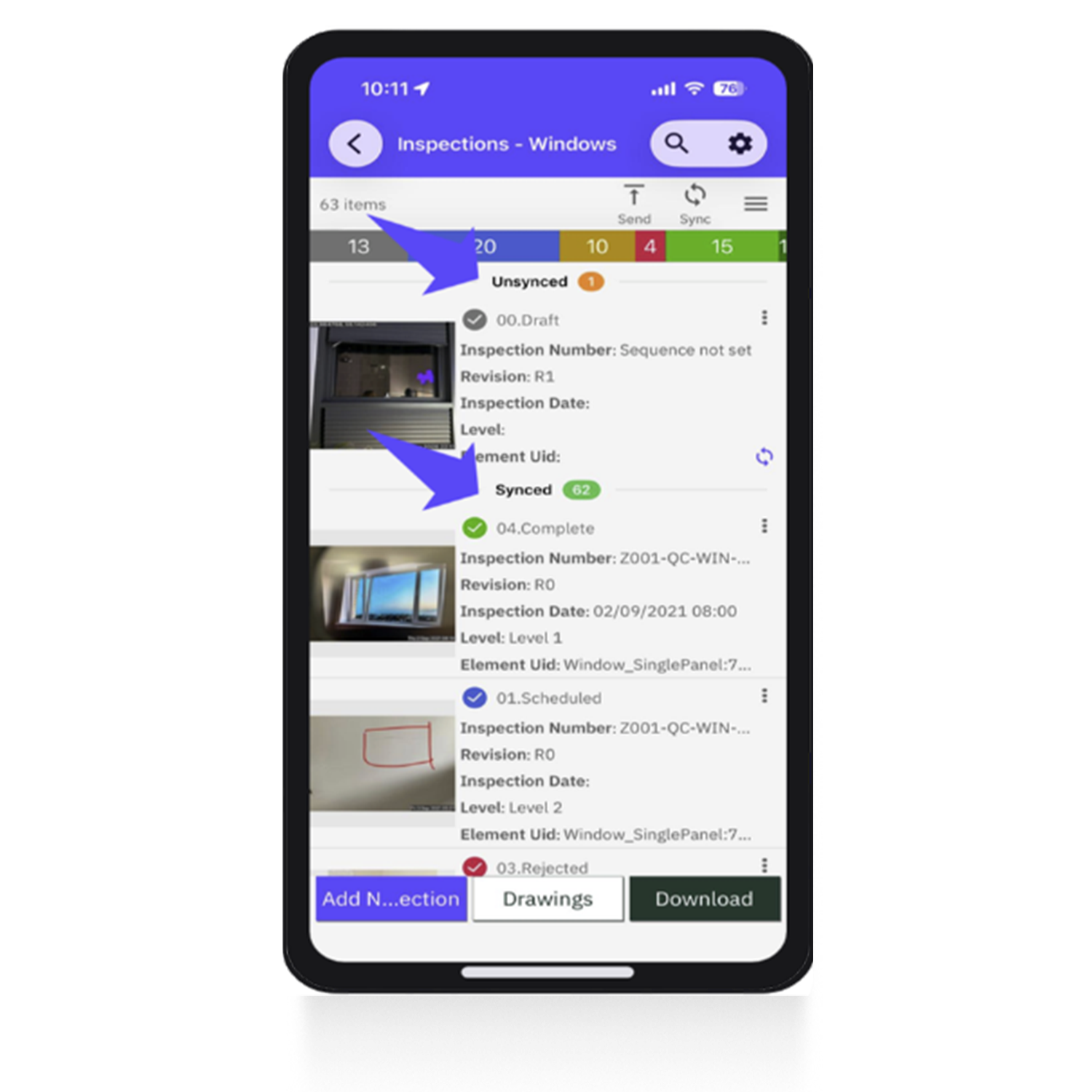
Records are now grouped into Synced and Unsynced sections, providing greater visibility of sync progress and making it easier to identify outstanding changes.
What's new?
- The register now groups records by sync status, so the items still sitting on a user's device are always at the top.
- Everything already uploaded stays tucked underneath.
- Unsynced: Still on the device and pending upload. Pinned to the top so nothing is missed.
- Synced: Already uploaded. These records are grouped underneath.
Benefits:
- Minimal scrolling.
- Group counts sit beside each heading, so a single glance tells users what is outstanding and what is complete.
- No scrolling through records to find work.
Zutec Cloud: Drawing & Markup Enhancements
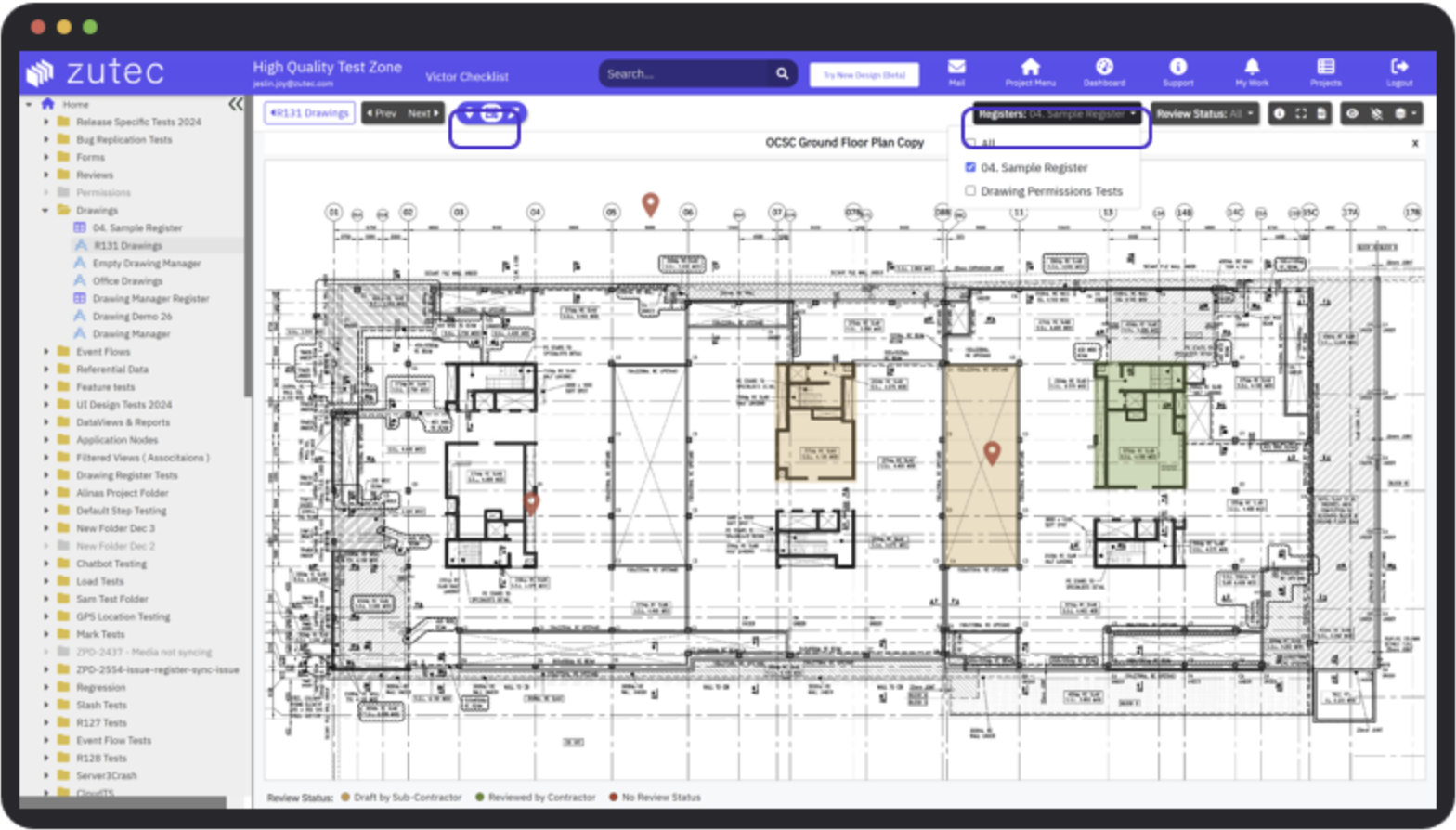
Pins and markups are now displayed in a single unified view, making it easier to review, manage and navigate annotations within drawings.
What's new?
- GA-level tracking: A visual layer over the existing inspection data. This means colour-coding for inspected areas e.g. concrete pours, shaft inspections and similar work.
- Pins and markups from any combination of registers, viewed together on a single drawing.
- Toggle the layer: Show pins, markups or both.
- Filter registers: Tick individual registers, or all of them.
- Inherited colour: Markups take the review status colour of their corresponding record/form.
Benefits:
- One drawing over every register.
- A visual layer over existing inspection data.
Zutec Cloud: Disable Duplicate Records
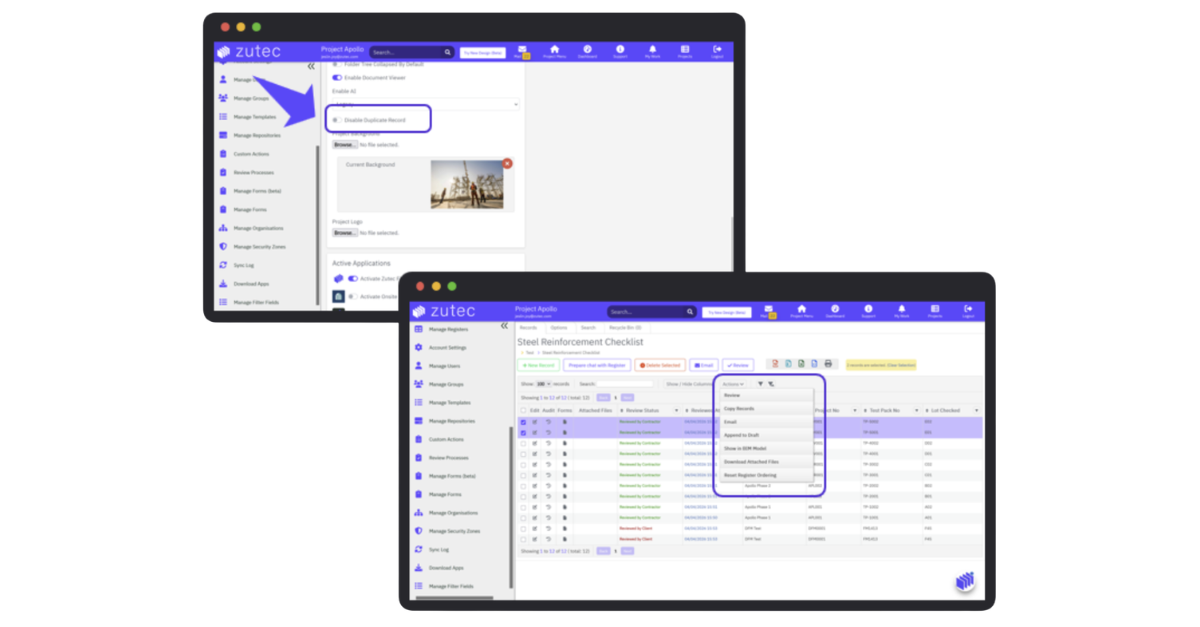
Administrators can now enable a workspace setting to prevent duplicate records from being created, helping improve data quality and reducing unnecessary duplication.
What's new?
- Turn duplication off in Project Settings
- Enabling Disable Duplicate Records stops records from being copied.
- Applies in both places at once, so there is no gap between web and device.
- Duplicate Records is removed from the Register Actions menu on Cloud.
- Duplicate option is hidden in the mobile app as well.
Benefits:
- Set once, applied everywhere.
- Controlled per project, alongside other account settings.


