


Release 132 brings an upgraded Zutec Building AI chatbot, a raft of Quality Management improvements, file name parsing, and a bulk file import with file name autofill for document management.
We value your feedback! If you have any questions or suggestions, reach out to us via the Help Centre.
Building AI: Zutec Chatbot Upgrade
The Zutec Chatbot, within Building AI - Powered by Zutec, now has twelve slash commands, works across your workspace and can be set up for each register so it understands a project the way your team does.
Twelve slash commands:
- Users can now type / and the chatbot suggests commands as you go. By typing /help, it lists them all. Every command starts with a slash so users don't have to remember them. Commands read project data directly, so it answers instantly.
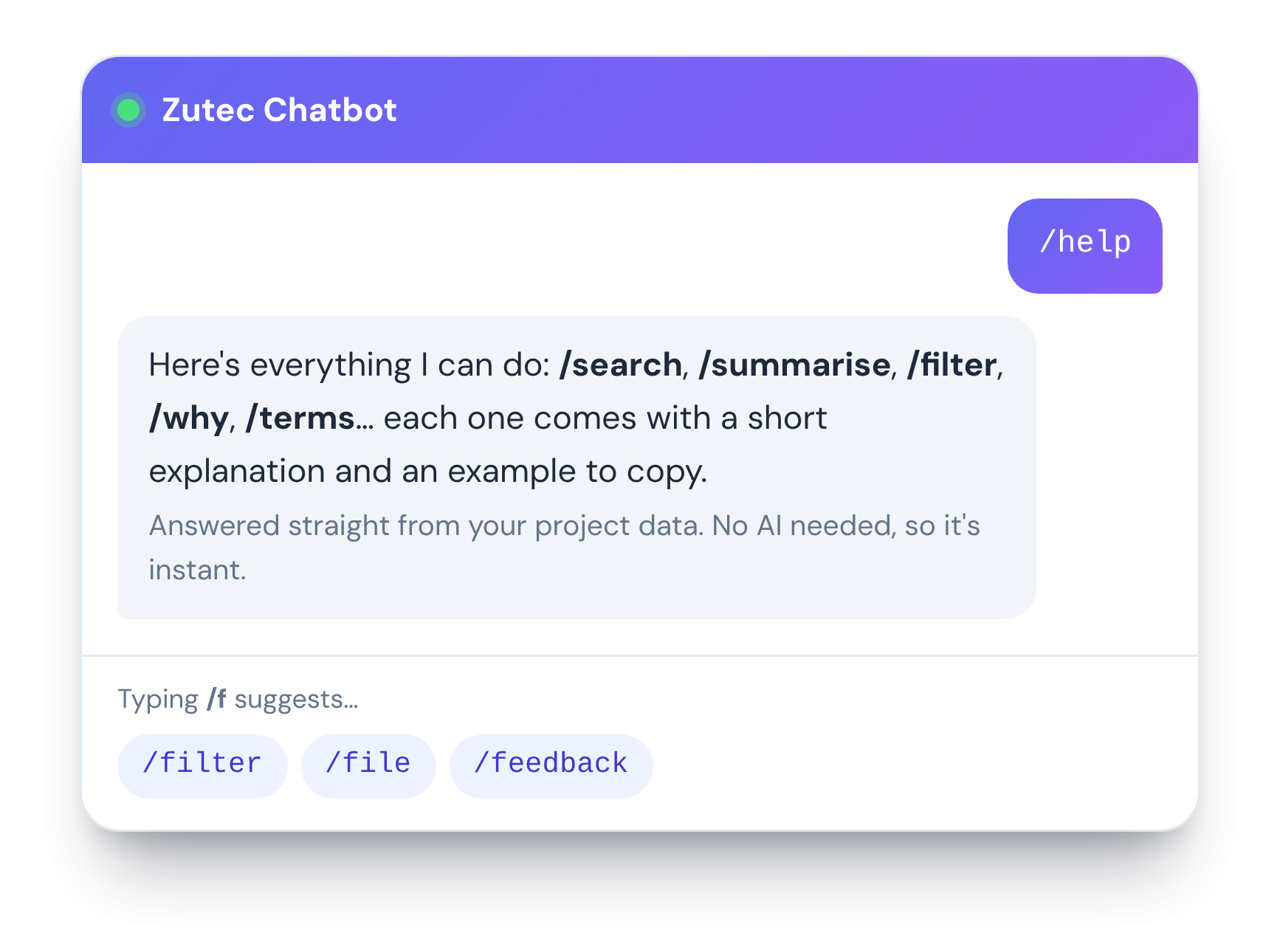
Chat at every level
How to use:
- Workspace: Users can ask across every enabled register, so the chatbot picks the registers most likely to hold the answer.
- Register: Users are also able to get counts, totals, lists and comparisons in plain English.
- Document: Users can simply use "Chat with this file" on a single document.
- Record: By typing /summarise, users can access a single claim, inspection or notification.
Configure per register
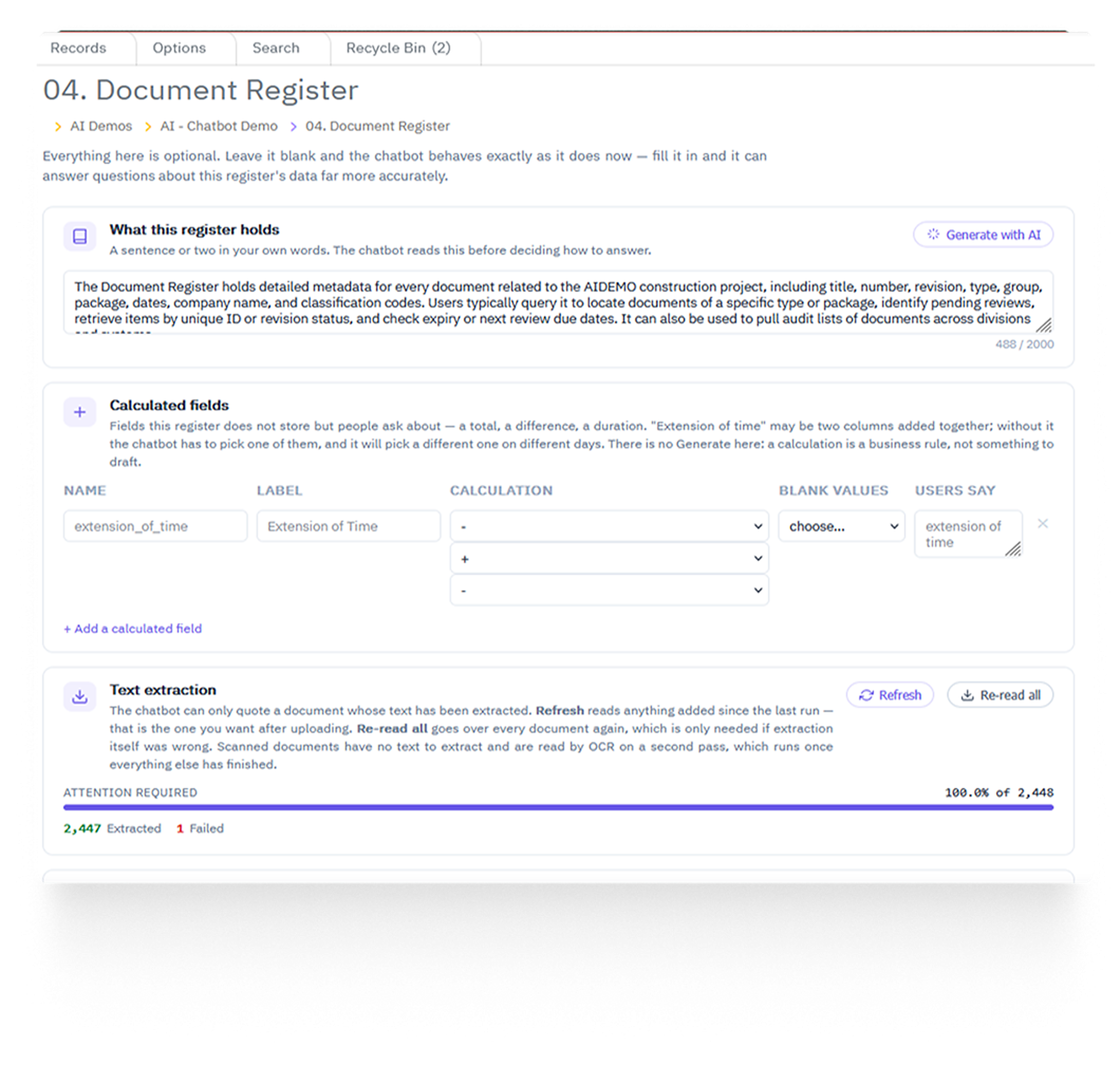
A new Chatbot Configuration page is available in each enabled register's options. All settings are optional, but a few minutes of set-up materially improves accuracy.
You can set:
- Register description and column guidance (with Generate)
- Calculated fields and column typing
- Suggested and example questions with routing
- Answer size, an attachments toggle, and the text-extraction queue
For more information on this functionality or to get set up, please reach out to your account manager.
Quality Management Improvements
Field App:
- Sort Registers: Register ordering in the Field app now follows Cloud solution to ensure consistency across both.
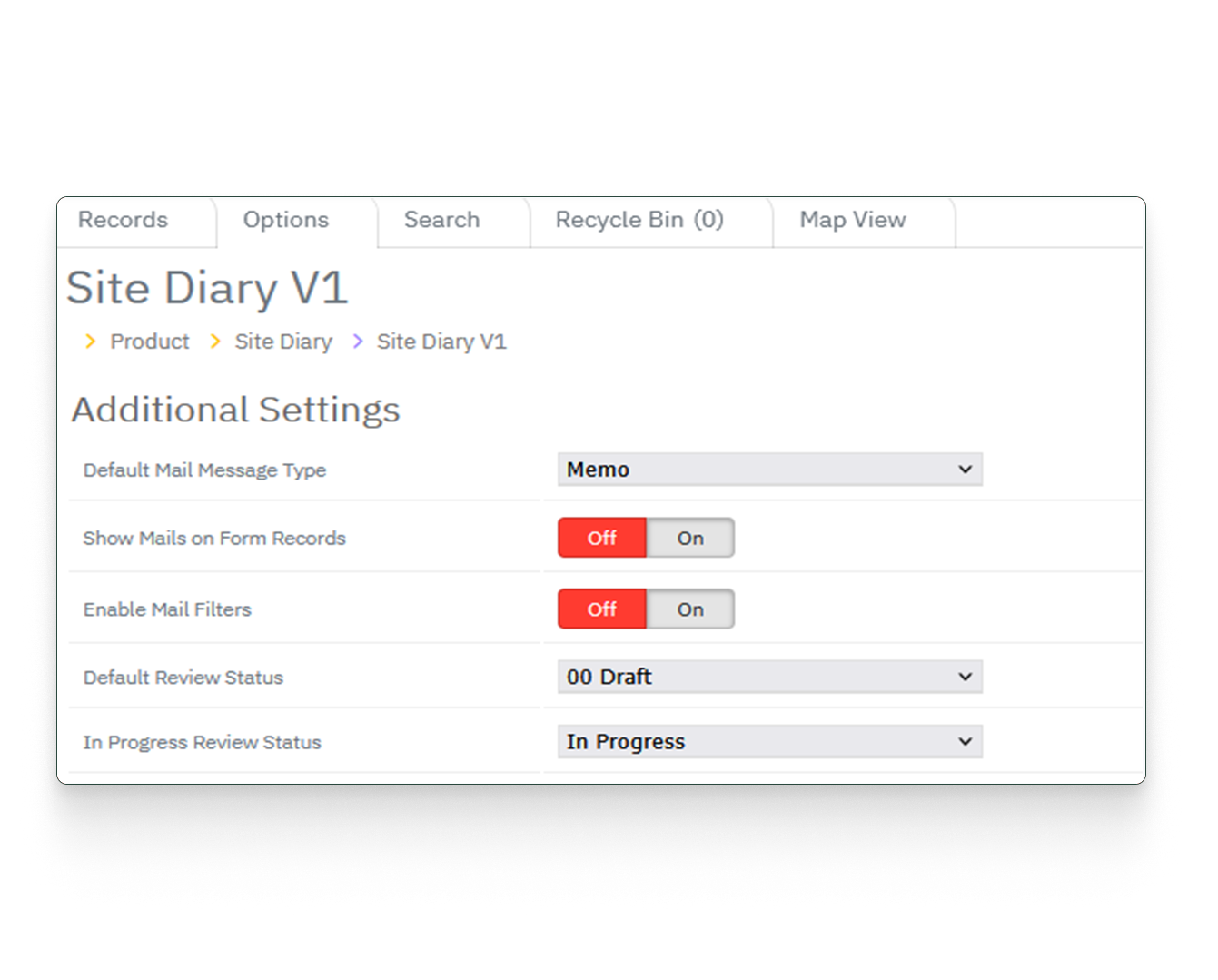
- Auto Progress Change: To ensure records have the status, records now move into "In Progress" automatically once work starts on them.
Cloud:
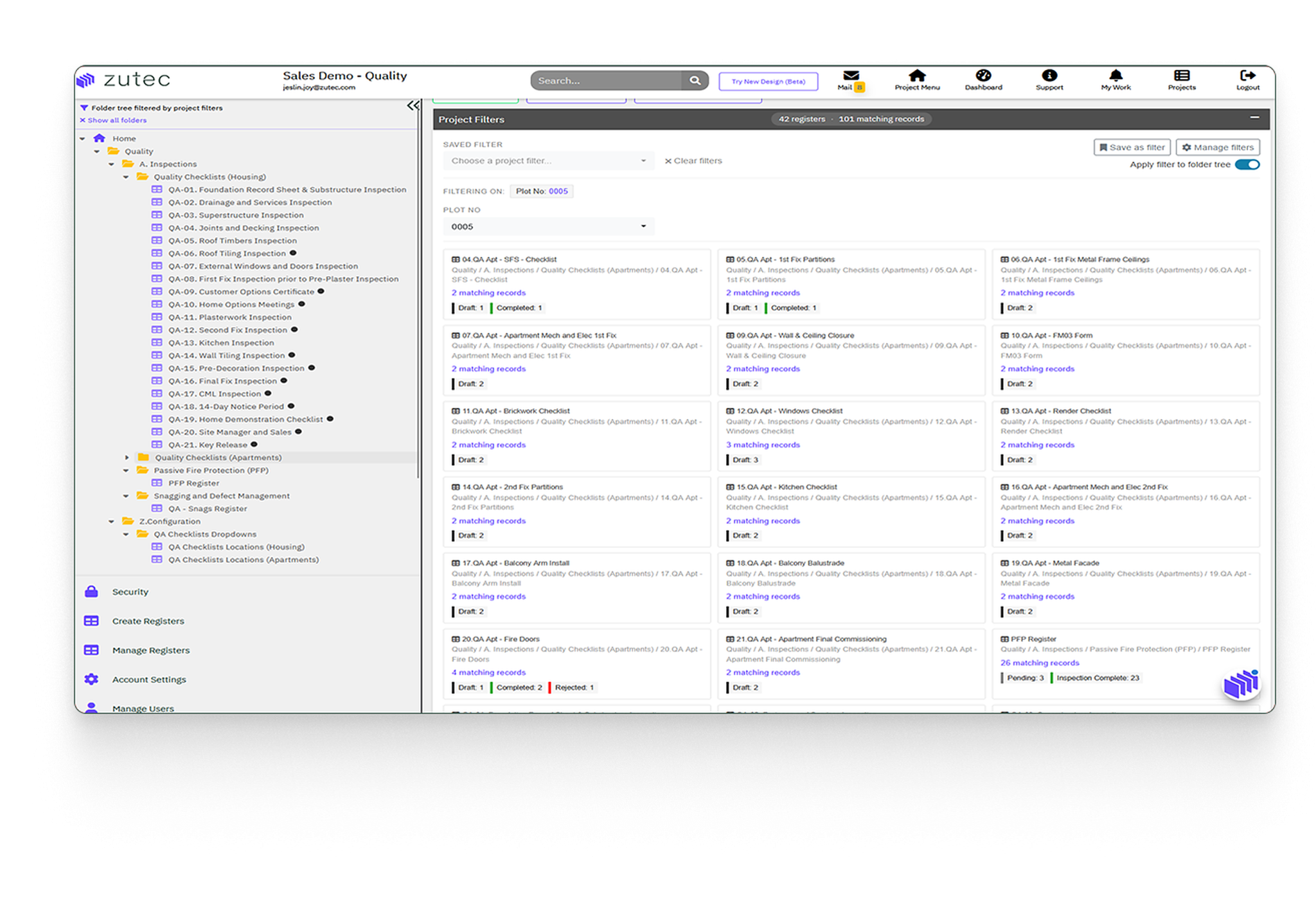
- Project Filter Fields: A centralised, workspace-level project filter now means Admins and Super Users no longer need to re-select the project in every table and register it. The filter persists per user, filters the folder tree and can be saved, and clicking a tile navigates straight to the register.
- Auto Progress Change: The same automatic "In Progress" status change now applies on Cloud, as it does in the Field app.
- Display Columns: Now in custom order on the register view.
- Checklist Builder: Fixes cover signatures split across pages, "on its own page" behaviour, save errors, adding pages to an existing checklist, new checks in issue mappings, and labels and alignment.
- Version Report: This has been restyled and improved.
Document Management
Bulk file import with autofill from file name
Now users can drop files in, and Zutec reads each filename against the register's naming convention, fills the fields and flags anything that doesn't match before a single record is created.
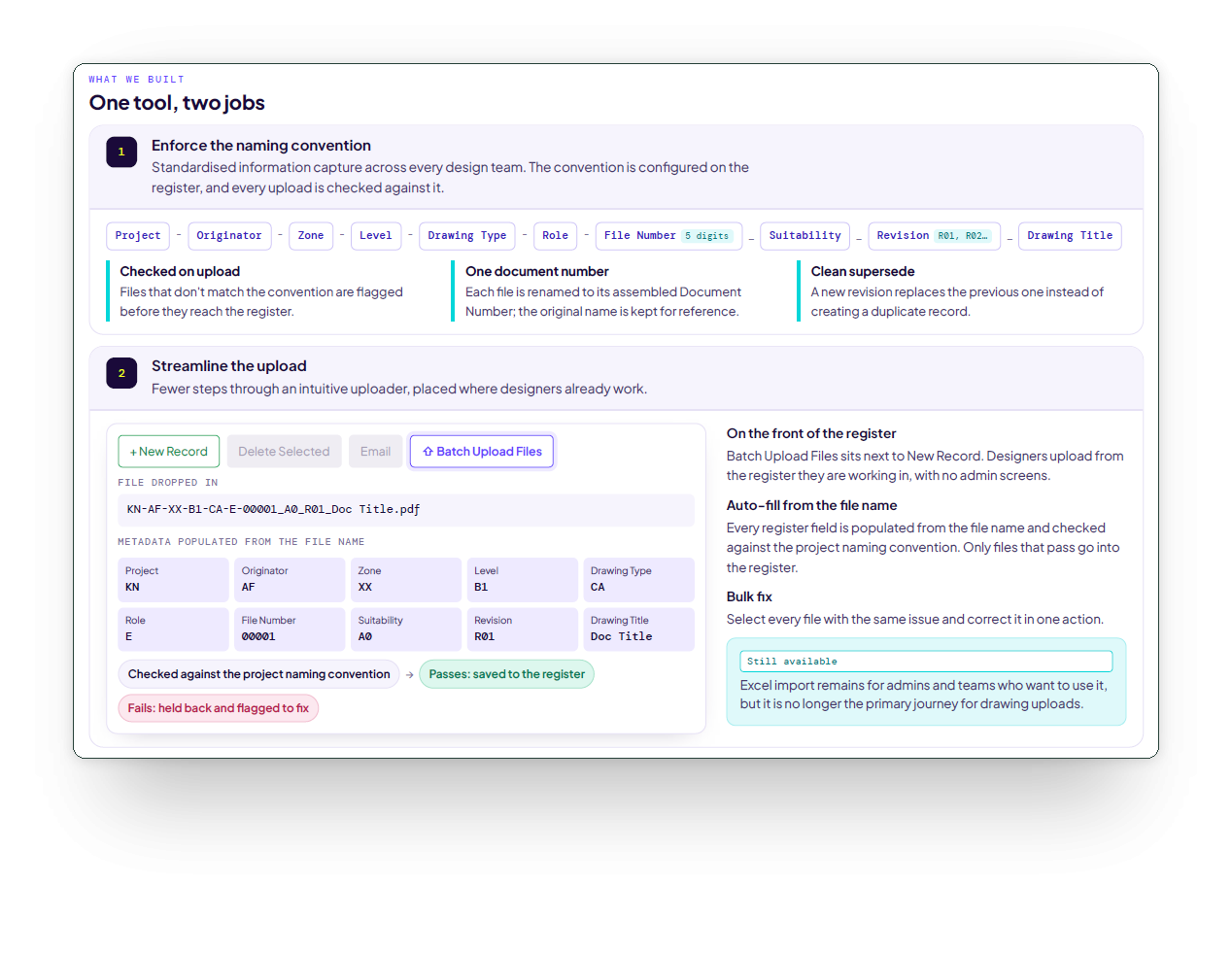
The original filename is always kept, and the register metadata is populated automatically.


